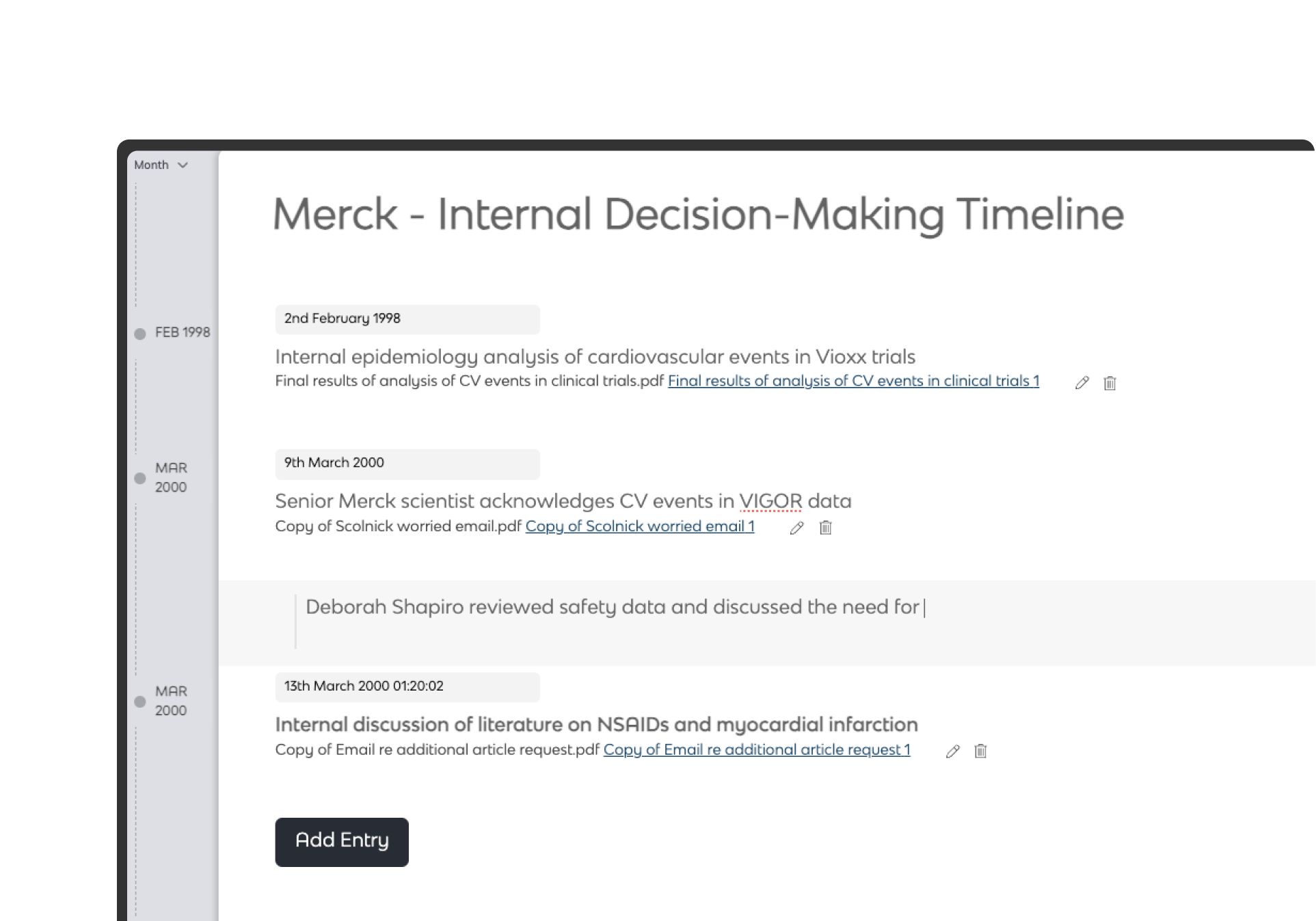
Build stronger personal injury cases from the chronology up
Extract events from medical records and evidence as you review Connect every point to source material Move seamlessly from review → chronology → bundle
Used by teams managing high-volume PI matters
Create a free workspace and begin building your case immediately.
Personal Injury
Most PI cases aren’t short on evidence. They’re short on structure.
Medical records don’t arrive ready to work with
Files come in bulk, across formats. Notes and scans are hard to read, with no consistent structure from the start.
Review is slow, and insight arrives too late
Key events are picked up late. There’s no clear view of the case early on, and limited ability to filter as you go.
Chronologies and evidence don’t stay connected
Timelines are built separately. Updates happen in different places, making it hard to keep everything tied to the evidence.
What is Lexiti
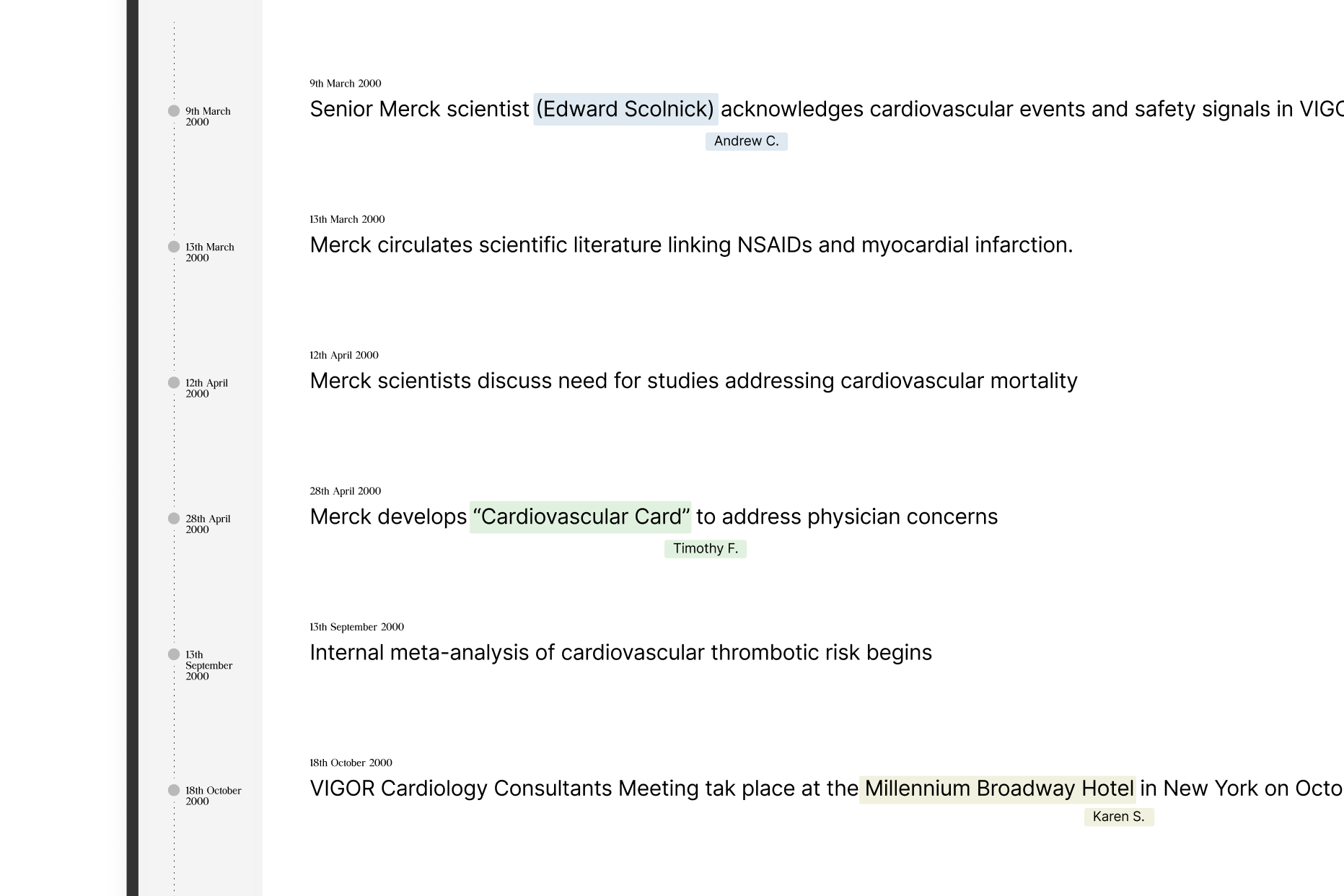
Turn medical records into structured, fully editable chronologies
Extract events from clinical notes, correspondence, and reports as you review, and build cross-referenced, fully editable case timelines.
AI-led chronology building
Generate events from a clear theme
Describe what you’re looking for—such as treatment history, communications, or key medical developments—and extract relevant events across your documents in one pass.
Describe what you’re looking for—such as treatment history, communications, or key medical developments—and extract relevant events across your documents in one pass.
Build clear and defensible medical chronologies – quickly and collaboratively.
Work with complex medical records
Ingest a wide range of file types, including specialist formats such as EWF. Extract usable text from scanned and handwritten records with enhanced OCR.
Flexible cross-referencing, built into every event
Link events directly to their source—whether documents sit inside your workspace, in a bundle, or externally. Add multiple references, include page detail, and keep everything tied back to the evidence.
Work together, in real time
Review, comment, and edit chronologies collaboratively. Share access securely by emai and keep everyone working from the same version of the case.
Filter and organise the case your way
Apply labels, create custom views, and filter events down to exactly what you need.
Timeline exports that are ready to use, not reworked
Generate PDF, hyperlinked timelines that are clear, consistent, and easy to share—whether for experts, counsel, or court.
Clear, tabular exports
Include evidence links to an appendix or to documents stored in your Lexiti workspace.
Configure what you include
Choose formats, customise columns, and include only what’s relevant.
Share directly, without friction
Download, save, or send chronologies via secure link.
Workflows & Security
Keep review, chronologies, and bundles aligned
Integrated Review and Bundling tools
Review documents, build chronologies, and prepare bundles in the same workspace.
Security you don't have to think about
Granular permissions, encryption in transit and at rest, and full audit trails built in.
Pricing
Power your PI work with a Lexiti workspace
Start for free
Comfortably supports 85% of matters.
Get access to:
All core features
1,000 Monthly AI credits
AI Chronology generation
Court-bundle and review tools
Unlimited users
Full security
Paid plans
£50/workspace/month
Upgrade as you go for more chronologies, bundles, features, and more support.
The free plan gives you everything you need to run small matters: one chronology, one bundle, full AI event extraction, core review tools, unlimited users, and secure workspaces — with bundle exports up to 100 pages included. Paid plans start at £50/workspace/month.
Is the free plan suitable for real cases?
Yes — the free plan comfortably supports most early-stage matters. You can build a full chronology, prepare a bundle, run AI event analysis, review documents, and collaborate with unlimited users, all with the same security and encryption as paid plans.
Are there any hidden fees or expiries?
No — there are no hidden charges, no time limits, and no automatic renewals. The free plan stays free until you choose to upgrade.
Are there limits on the number of workspaces I can create?
Yes. The free plan gives you one active workspace at any time during each month, built to run a full case from beginning to end. You can upgrade anytime if you need to manage more than one matter simultaneously.
Can I use AI features on the free plan?
Yes. AI event extraction and related features are included in the free plan.
Are my documents secure on the free plan?
Yes. All files are encrypted in transit and at rest using AES-256, protected by per-workspace encryption keys, and never used to train AI — the same security applied across all Safelink plans.
Where can I see Lexiti's paid plans and upgrade options?
All paid plans are shown in-app, and you can upgrade at any time with one click. You can also view them on our pricing page.

.png)
.png)
.png)
.png)
.png)
.png)
.png)
.png)


.png)