Products
PRODUCTS
Virtual Data Rooms
AI Litigation Workspaces
FEATURES
Chronology building
Build timelines with AI
eDiscovery
Review documents at scale
Court bundling
Prepare compliant court bundles
Secure file sharing
Connect your site to apps like HubSpot, Adobe Express, and more
Users and permissions
Turn static designs into clean, production-ready code
Reporting and insights
Host dynamic web apps alongside your Webflow site
Solutions
Solutions
M&A
Bring structure, control, and confidence to deals.
Medical Negligence
Build stronger personal injury cases from the chronology up.
FEATURED ARTICLE
Top 5 Features to Look for in a Virtual Data Room for M&A Transactions
Read article
Secure file sharing
Connect your site to apps like HubSpot, Adobe Express, and more
Users and permissions
Turn static designs into clean, production-ready code
Reporting and insights
Host dynamic web apps alongside your Webflow site
Solutions
Safelink for
M&A
Built for world-class organizations
Litigation
Accelerate your agency’s growth
Investigations
Build custom sites for clients
Fundraising
Unlock enterprise-level partnership
Use case 5
Move faster with Webflow
Use case 6
Register to use Webflow for free
customer story
How Dropbox Sign transformed collaboration with Webflow
67%
Decrease in dev ticketing
Customer stories
Browse Webflow success stories
Security
Resources
FREE PLANS
Lite Virtual Data Room
A fast, reliable data room made free to use.
Free AI Litigation Workspace
Build chronologies, review documents, prepare court bundles
learn
KnowledgeHub
Our library of how-tos, product guidance, and practical tips.
Blog
Explore insights and practical ideas on technology and legal workflows.
FAQs
Get quick answers to the questions we hear most.
discover
About Safelink
Learn more about who we are, what we build, and how we work.
Security
Our approach to safeguarding your data and responsible AI.
Customer stories
See how teams use Safelink in practice.
Newsletter
Sign-up to our newsletter and be the first to know about product enhancements.
get help
Contact Support
Get fast, friendly help from our support team.
Talk to Sales
Talk with our team about what you’re looking to achieve.
Book a Demo
Book a session to explore the Safelink products that interest you.
Contact
CONTACT
Contact Support
Reach our support team for quick assistance.
Talk to Sales
Discuss your needs with our sales team.
Book a Demo
Book a session to explore one or more of our products.
Log in
Start now
Lexiti /
Features /
Chronolgies
Create referenced
chronologies in minutes
Lexiti extracts events directly from your documents, links them to their source, and helps you shape clear, defensible timelines.
No credit card required
Start now
The fastest way to understand
and sequence events.
When the evidence builds the timeline
Events are drawn directly from your documents and arranged into a chronology with dates and summaries of what happened.
Facts with provenance, not assumptions
Every event is fully linked back to its source and surrounding context, so you always know precisely where it came from.
See the case through any lens
Filter by person, entity, date, topic, or place to explore the chronology from the angle you need.
TOPIC LABELLING
Automatically classify each event under multiple topics and explore from any angle.
THEMED CHRONOLOGIES
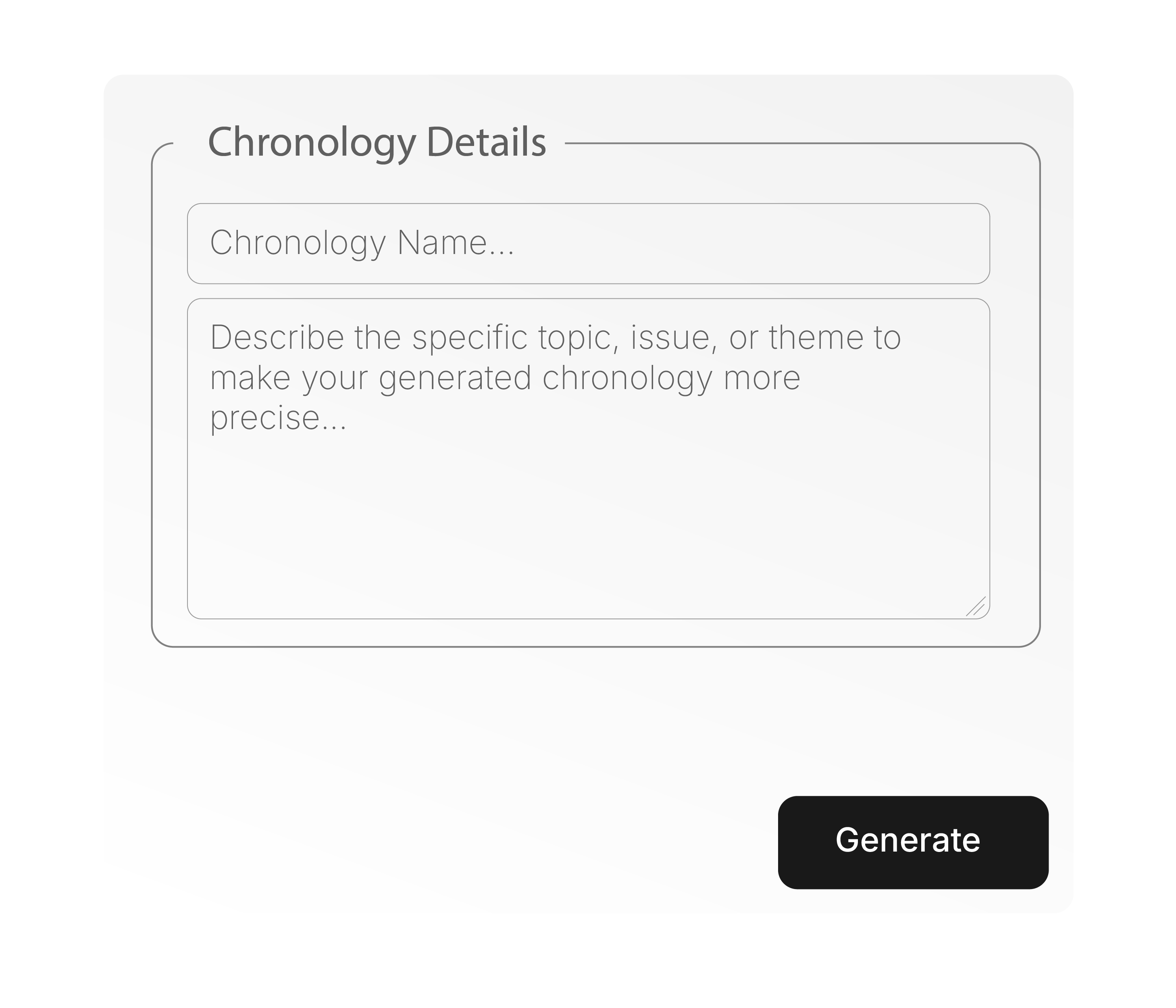
Set a theme and isolate every related event, giving you a tight, issue-specific chronology.
BUILT-IN EDITOR
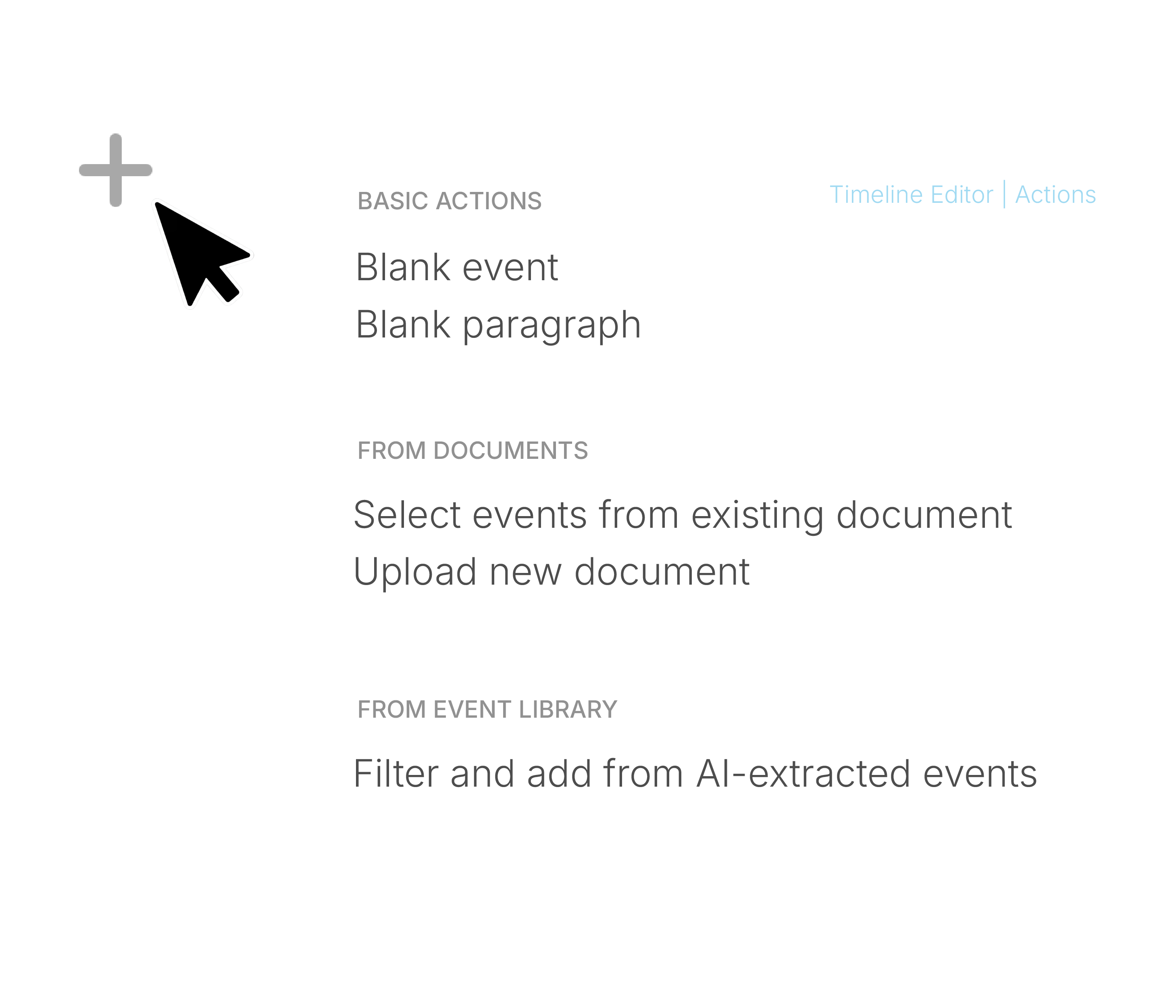
Reorder events, refine the structure, and shape the chronology exactly as you need it – all in one purpose-built editor.
CROSS-REFERENCE
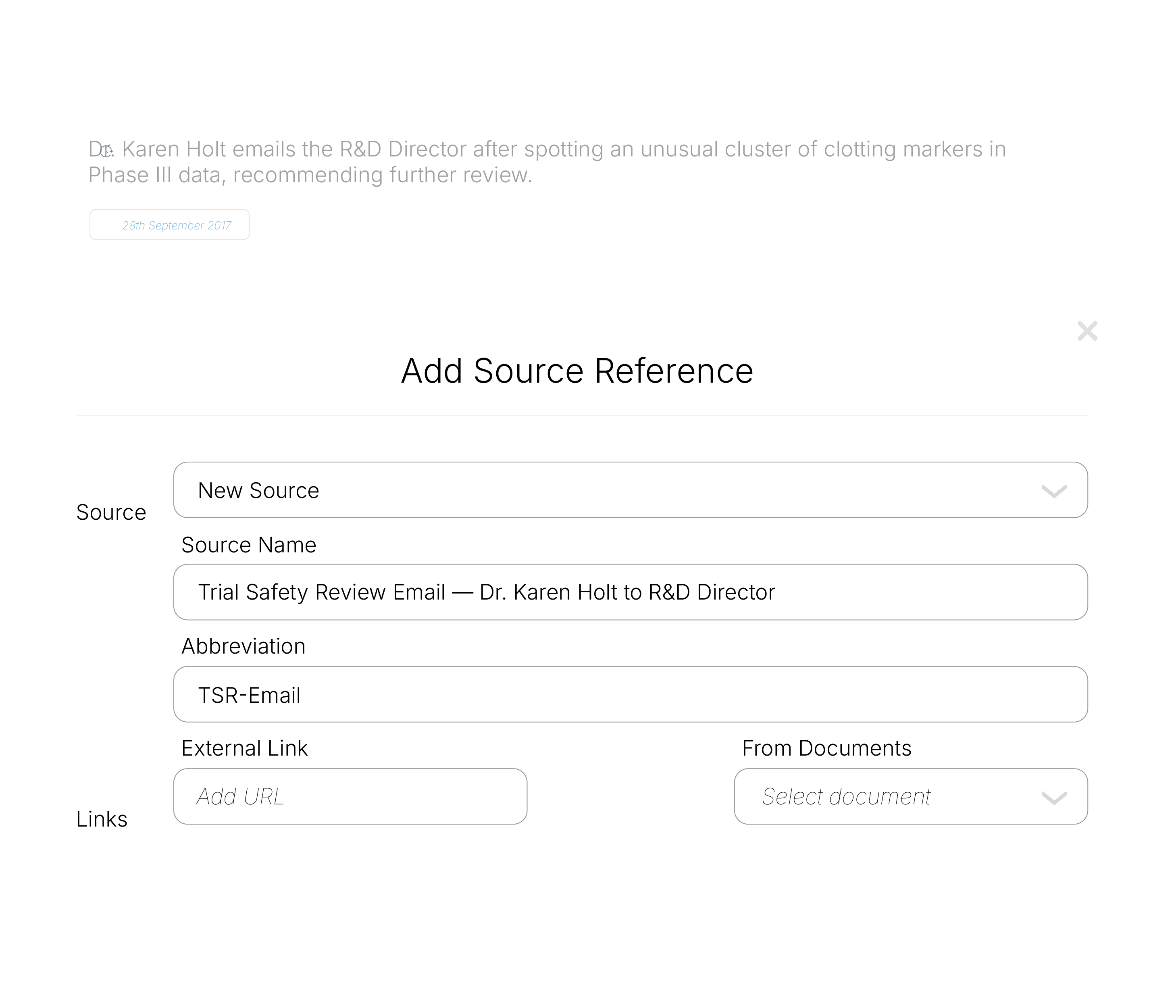
Attach multiple references to any event – internal documents, external sources, or plain-text citations
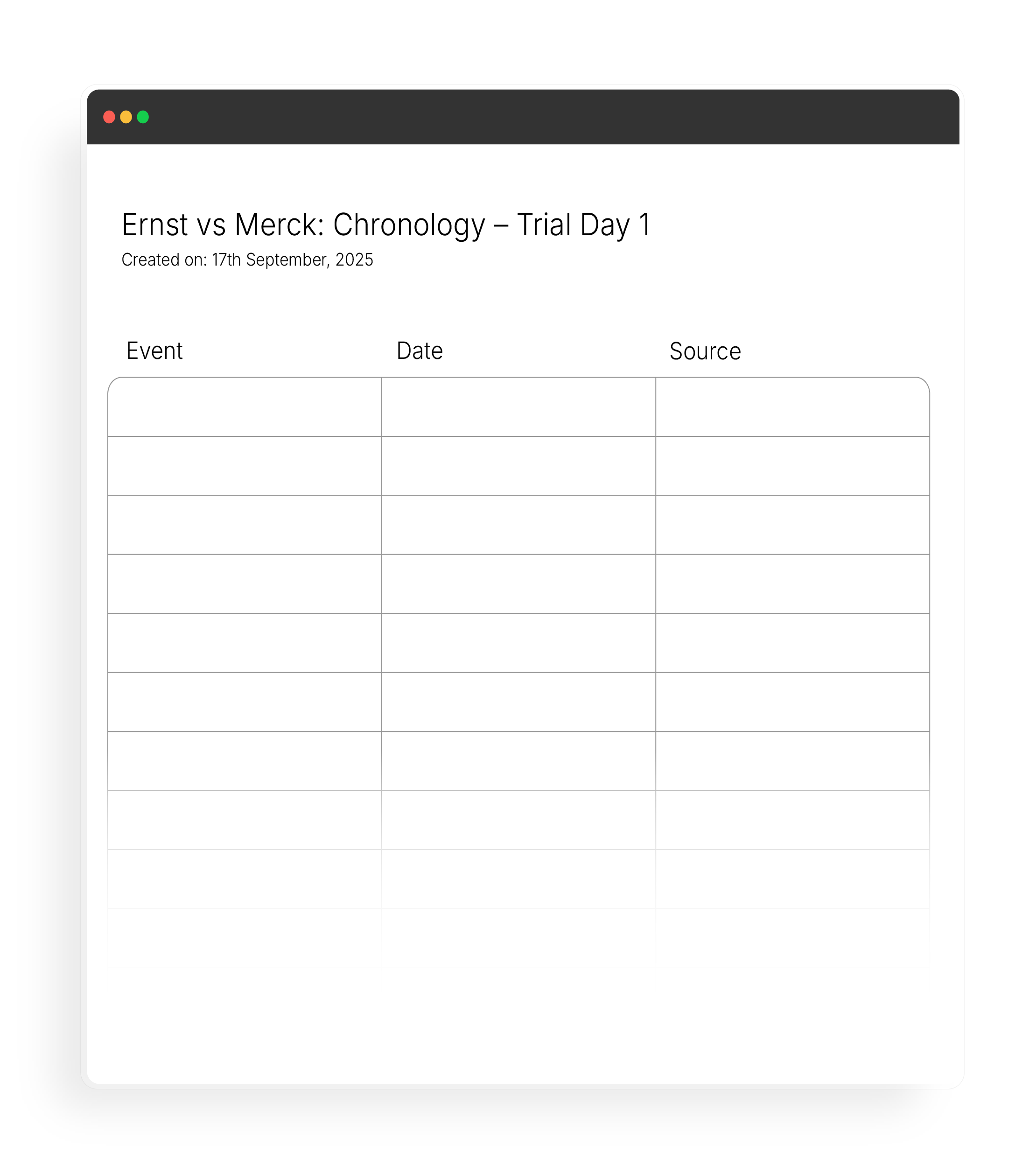
Create tabular exports with event details, dates, and links that point directly to the appendix or to the documents stored in your Lexiti workspace.
Download your chronology in PDF, Word, or Excel for further editing and customisation.
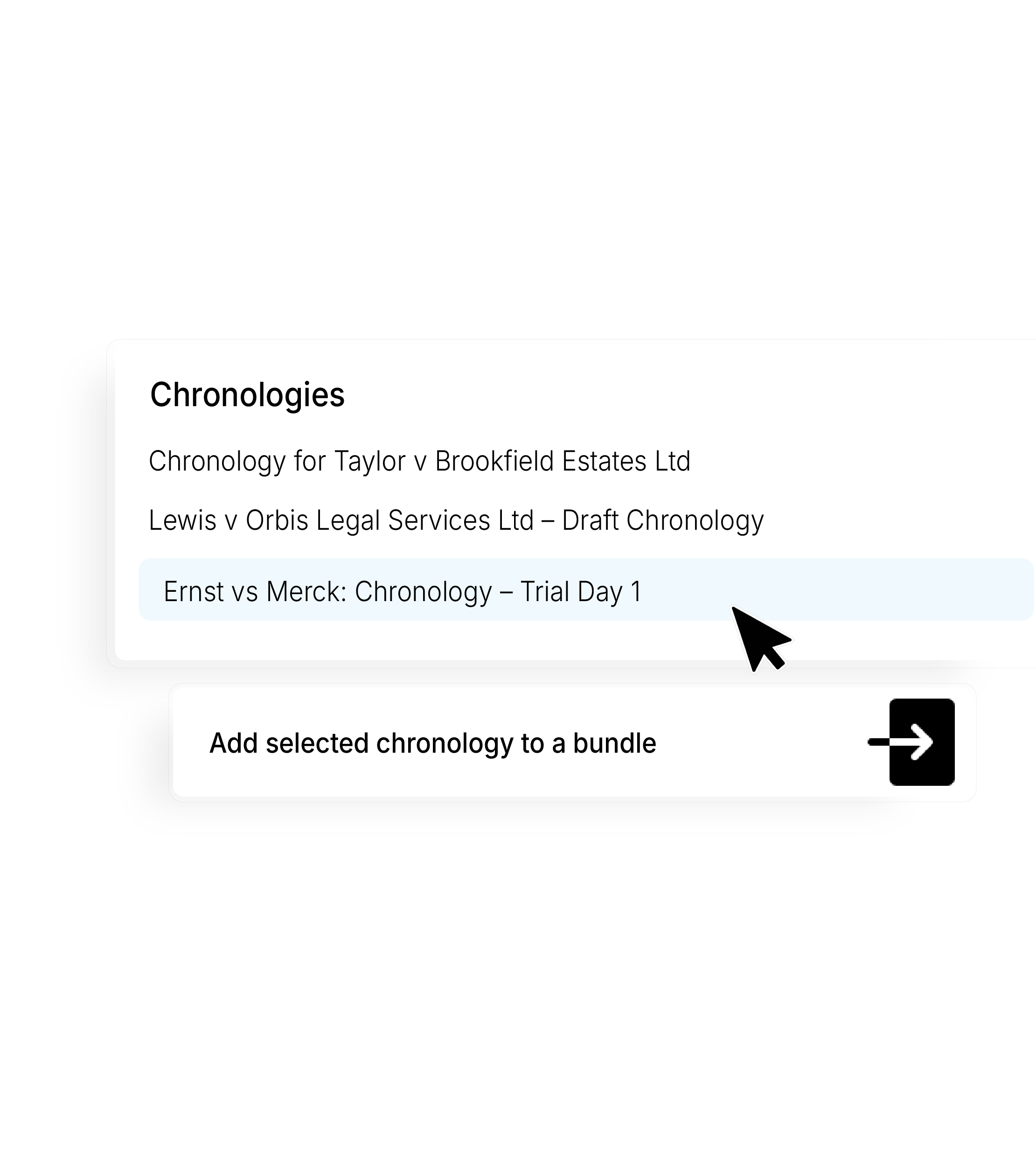
Save your chronology into a bundle within your Lexiti workspace, keeping it stored alongside the rest of your case materials.
Power your casework
with a Lexiti workspace
Everything you need to build chronologies, review documents, and prepare bundles.
Start now
View plans

.webp)
.webp)
.png)
.png)